Policies & Policy Editor
Policies are the core building block of Metatate. A policy defines governance rules for a set of tables and columns -- what data is sensitive, how it should be masked, who can access it, and how AI tools should handle it.
Policy List
The Policies page shows all policies in your application, each displaying its name, scope, and current status.
| Status | Meaning |
|---|---|
| Draft | Created or edited but not yet deployed. Changes are local only. |
| Deployed | Applied to governance tables and visible to MCP tools. |
You can filter, search, and sort the list to find policies quickly.
Creating a Policy
There are two ways to create a new policy:
AI-Assisted (Natural Language)
Type a plain-English description of what you want to govern, and Snowflake Cortex generates the policy YAML for you. For example:
"Mask all SSN and email columns in the customers table. Only the compliance team should see unmasked values."
Cortex runs entirely inside Snowflake -- zero data egress. The generated YAML appears in the editor for you to review and refine before saving.
Manual YAML
Open the policy editor and write YAML directly. This is useful for precise control or when duplicating an existing policy with modifications.
Policy Editor
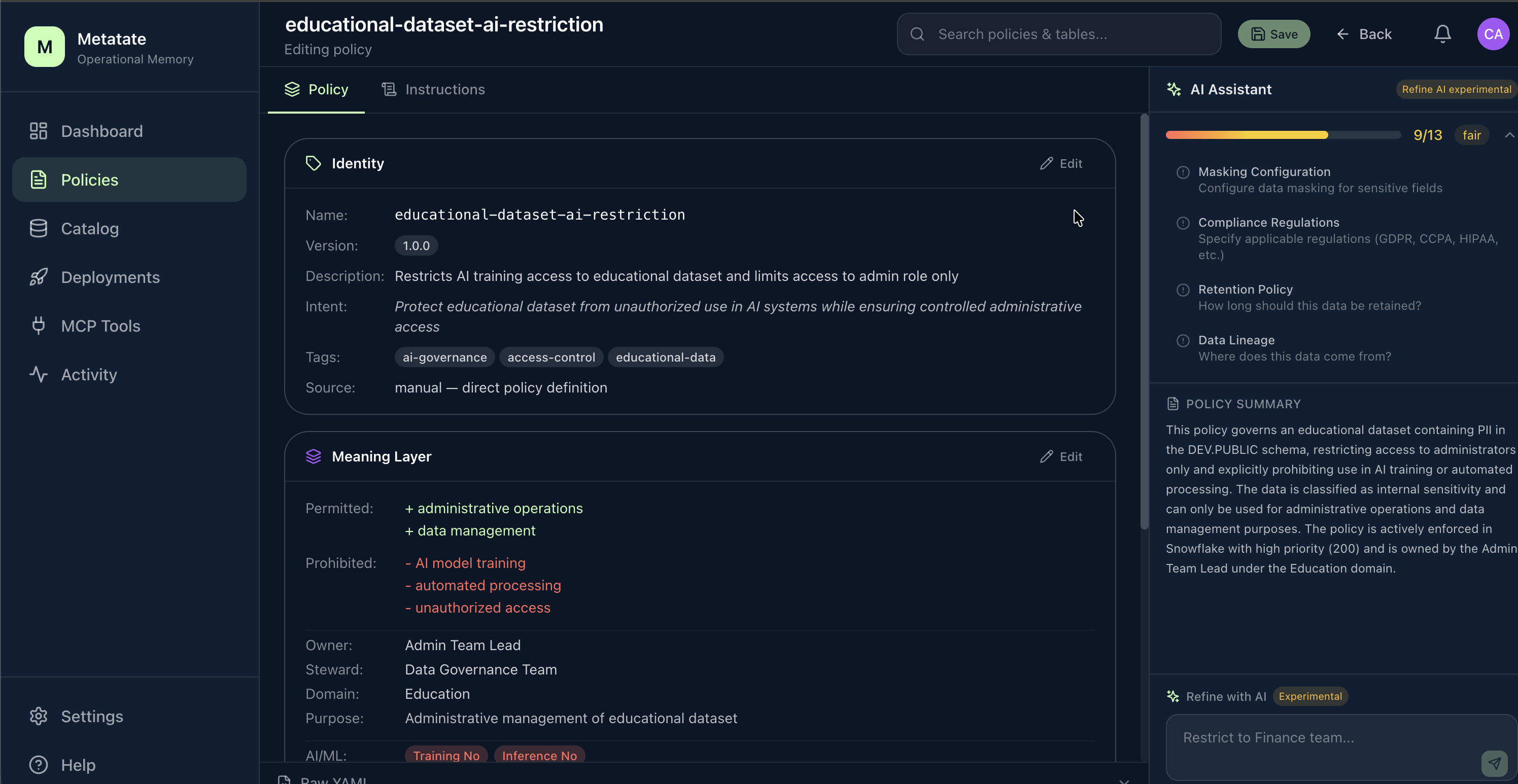
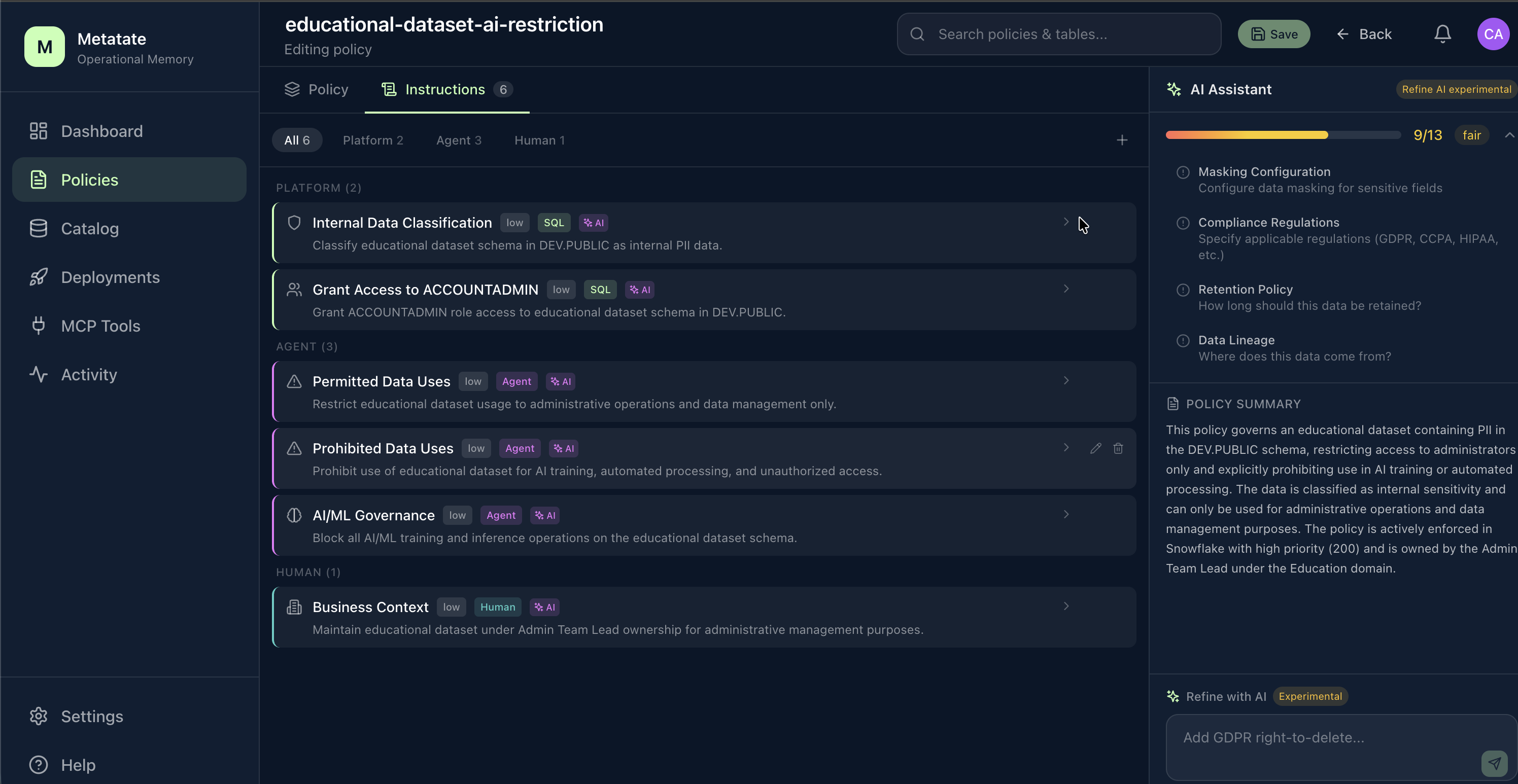
The editor has two tabs: a Policy tab that summarizes identity, meaning, and metadata alongside an AI Assistant pane, and an Instructions tab that groups deployed instructions by platform and agent context.
Policy YAML Structure
Every policy follows this structure:
metadata:
  name: customer-pii-protection
  description: Protect PII in the customers table
  version: 1

scope:
  database: ANALYTICS
  schema: PUBLIC
  tables:
    - CUSTOMERS

instructions:
  - type: classification
    columns: [SSN, EMAIL]
    sensitivity: high
    pii: true

  - type: masking
    columns: [SSN]
    strategy: full
    except_roles: [COMPLIANCE_ADMIN]
Metadata
name-- Unique identifier for the policy.description-- Human-readable summary.version-- Incremented on each edit.
Scope
Defines which tables (and optionally columns) the policy targets. References tables from your DATABASE_CATALOG.
Instruction Types
| Type | Purpose |
|---|---|
classification | Label columns with sensitivity level and PII status |
masking | Define masking strategies and role-based exceptions |
usage_guidance | Provide human- and AI-readable guidance on how data should be used |
ai_governance | Rules specifically for AI/LLM access to data |
retention | Data retention periods and archival rules |
access_control | Role-based access rules beyond masking |
A single policy can contain multiple instructions of different types.
Managing Policies
- Save -- Persists the policy as a draft. Does not affect deployed state.
- Edit -- Reopen any policy in the editor. Editing a deployed policy creates a new draft version.
- Delete -- Removes the policy. If it was deployed, you must redeploy to remove its governance rules.
Next Steps
Once your policies are ready, head to Deployments to plan and apply them.